Editors and tools
aituner runs the model in mlx_lm.server and puts a gateway in front of it on 127.0.0.1:8747 that speaks both the OpenAI API and Anthropic's Messages API. Editors connect to the gateway with an API key.
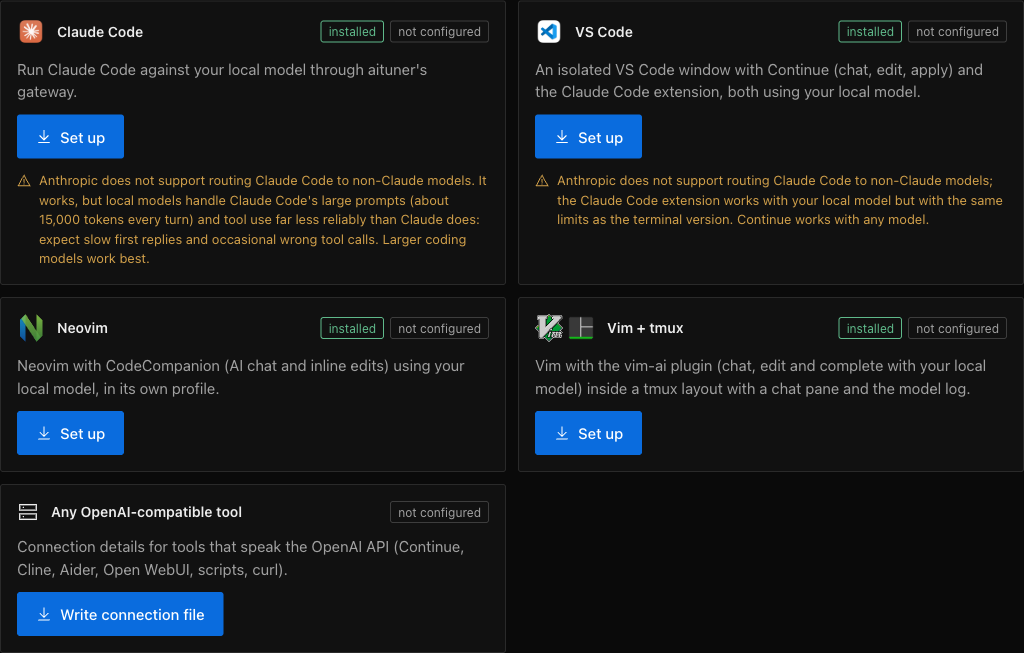
Setting up a tool
Start a model first, then choose a tool in Setup. aituner shows exactly what it will install and change and asks once. Each tool gets its own isolated profile: your own editor settings and dotfiles are never modified.
| Tool | What setup does |
|---|---|
| Claude Code | An aituner-claude launcher that points one session at the gateway; ~/.claude is untouched. It runs lean by default, so a request is about 1,800 tokens and the first reply takes seconds. |
| VS Code | An isolated profile with Continue and the Claude Code extension, launched as aituner-code. |
| Neovim | Its own profile (NVIM_APPNAME) with lazy.nvim and CodeCompanion, launched as aituner-nvim. |
| Vim + tmux | Homebrew Vim with vim-ai, in a tmux layout with a chat pane and the model log. Your ~/.vimrc is read, never written. |
| OpenAI-compatible | Connection details and a key file for Continue, Cline, Aider, Open WebUI, scripts or curl. |
A note on Claude Code
Anthropic does not support routing Claude Code to non-Claude models. It works through aituner's gateway, which understands the tool-call formats of Llama, Qwen and gpt-oss and repairs tool arguments against their schemas, but local models are slower with Claude Code's large prompts and less reliable with tools. Larger coding models work best.
Using the API directly
The Setup page shows the base URL, the model name and a copyable key, plus a ready-made curl example. The gateway only forwards a safe set of request fields, so a client cannot make the server load a different model.